
Stylish Night Mode Theme for Browsers
Overview
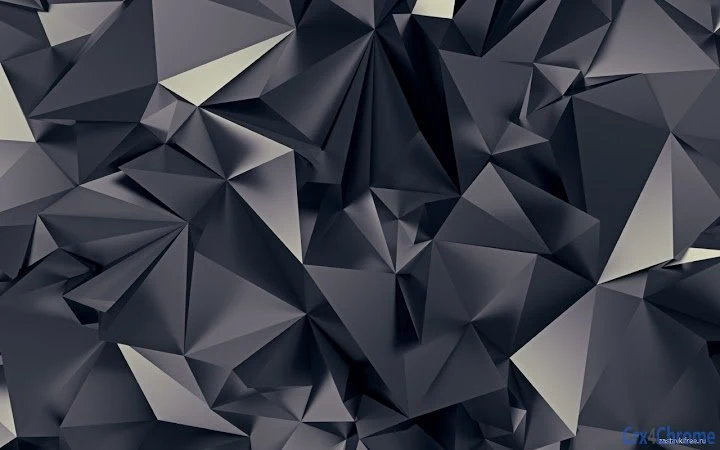
The Alloy browser theme, developed by Atavi.com, is a desktop utility designed to transform the visual appearance of web browsers with a sophisticated dark mode aesthetic. Crafted with a focus on style and ambiance, the theme uses deep night shades and subtle metallic accents inspired by precious stones to create a visually striking interface. It is intended for users who value both functionality and aesthetics in their digital workspace.
Targeted primarily at casual and design-conscious users, Alloy serves as a customizable visual layer that enhances the browsing environment without altering core browser behavior. It is ideal for individuals who spend extended hours online and prefer reduced eye strain in low-light settings. The theme is particularly suited for those who enjoy personalized digital experiences and seek a refined, mysterious atmosphere while navigating the web.
Atavi.com, the developer, has positioned this product as a lightweight utility focused on visual enhancement rather than functional tools. While specific details about the company’s background were not provided, the theme aligns with modern trends in user interface personalization. It is designed to be installed quickly and used immediately, offering an instant upgrade to the browser’s appearance.
Key Features & Capabilities
- Dark Mode Aesthetic – The theme implements a deep, immersive dark color scheme that reduces glare and improves visibility in low-light environments.
- Stylish Visual Design – Inspired by precious stones in night tones, the theme features subtle gradients and refined textures to create a premium look.
- Browser Customization – Users can apply the theme to their browser’s interface, including the toolbar, tabs, and background, for a cohesive visual experience.
- Lightweight Installation – At just 2.5 MB, the theme requires minimal storage and loads quickly without impacting browser performance.
- Cross-Platform Compatibility – Supports both Windows and Mac operating systems, allowing consistent use across devices.
Real-world usage includes enhancing productivity during evening browsing sessions, improving focus in dimly lit spaces, or simply expressing personal style through digital interfaces. The theme does not interfere with browsing functions but instead complements them with a polished, professional appearance. It is especially useful for users who prioritize visual harmony in their daily workflows.
User Interface, Workflow & Performance
The user interface of the Alloy theme is entirely integrated into the browser’s existing design, meaning there is no standalone interface to navigate. Instead, the visual transformation occurs automatically upon installation. Users can expect a seamless workflow: download the theme, apply it through the browser’s theme settings, and see immediate results.
Navigation is intuitive and requires no learning curve, as it leverages familiar browser controls. The theme does not introduce new menus or tools, preserving the standard browsing experience. This ensures that users of all skill levels can adopt it effortlessly.
Performance observations are based on general software behavior patterns. The theme is designed to be lightweight, and no significant resource usage was reported. The developer did not specify resource usage details, but the 2.5 MB file size suggests minimal impact on system performance. Stability is expected to be high, as the theme does not modify core browser processes.
Compatibility & System Requirements
Alloy is compatible with Windows and Mac operating systems, making it accessible to a broad user base. The software version is 1.0.0, and the installation size is 2.5 MB. It is designed to work with major web browsers that support custom themes, though specific browser names were not listed.
Exact system requirements were not listed. However, given the small file size and the nature of browser themes, it is likely to function on most modern systems with standard hardware. The developer did not provide additional system requirements, so users should ensure their browser supports theme customization features.
Pros and Cons
Pros
- Visually appealing dark mode design with a premium aesthetic
- Lightweight at only 2.5 MB
- Available at no cost (FREE)
- Compatible with both Windows and Mac
- Simple installation and immediate visual impact
Cons
- Does not include functional tools beyond visual customization
- Specific browser compatibility details not provided
- No advanced customization options reported
- Limited to visual changes; no performance or productivity enhancements
- Developer information not publicly detailed
FAQ Section
Is the Alloy theme free to use?
Yes, the Alloy browser theme is available at no cost. There are no subscription fees or hidden charges.
Which browsers support the Alloy theme?
The theme is designed for browsers that support custom themes. Specific browser compatibility was not listed, but it is expected to work with major browsers on Windows and Mac.
Is the theme safe to install?
As a browser theme from Atavi.com, it is intended to be secure. However, users should only install themes from trusted sources and ensure their browser settings allow theme downloads.
How often are updates released?
Update frequency was not specified. Users should check the developer’s website for the latest version.
Can I use the theme offline?
Yes, once installed, the theme functions entirely offline and does not require an internet connection to display.
Final Thoughts + CTA
The Alloy browser theme from Atavi.com delivers a compelling visual upgrade for users seeking a stylish, dark mode interface. With its elegant night-inspired design and minimal footprint, it enhances the browsing experience without compromising performance. While it does not offer functional tools, its aesthetic value is strong, making it ideal for users who appreciate refined digital environments.
It is especially beneficial for those who spend time online in the evening or prefer a sleek, mysterious interface. The free availability, cross-platform support, and ease of use make it a practical choice for both casual and design-focused users.
For anyone looking to elevate their browser’s look with a touch of sophistication, Alloy stands out as a simple yet effective solution. Download Alloy now.







